Identity and Access Management Hardening on AWS for Startups
Stop overpaying for cloud security with manual permission management that doesn't scale.
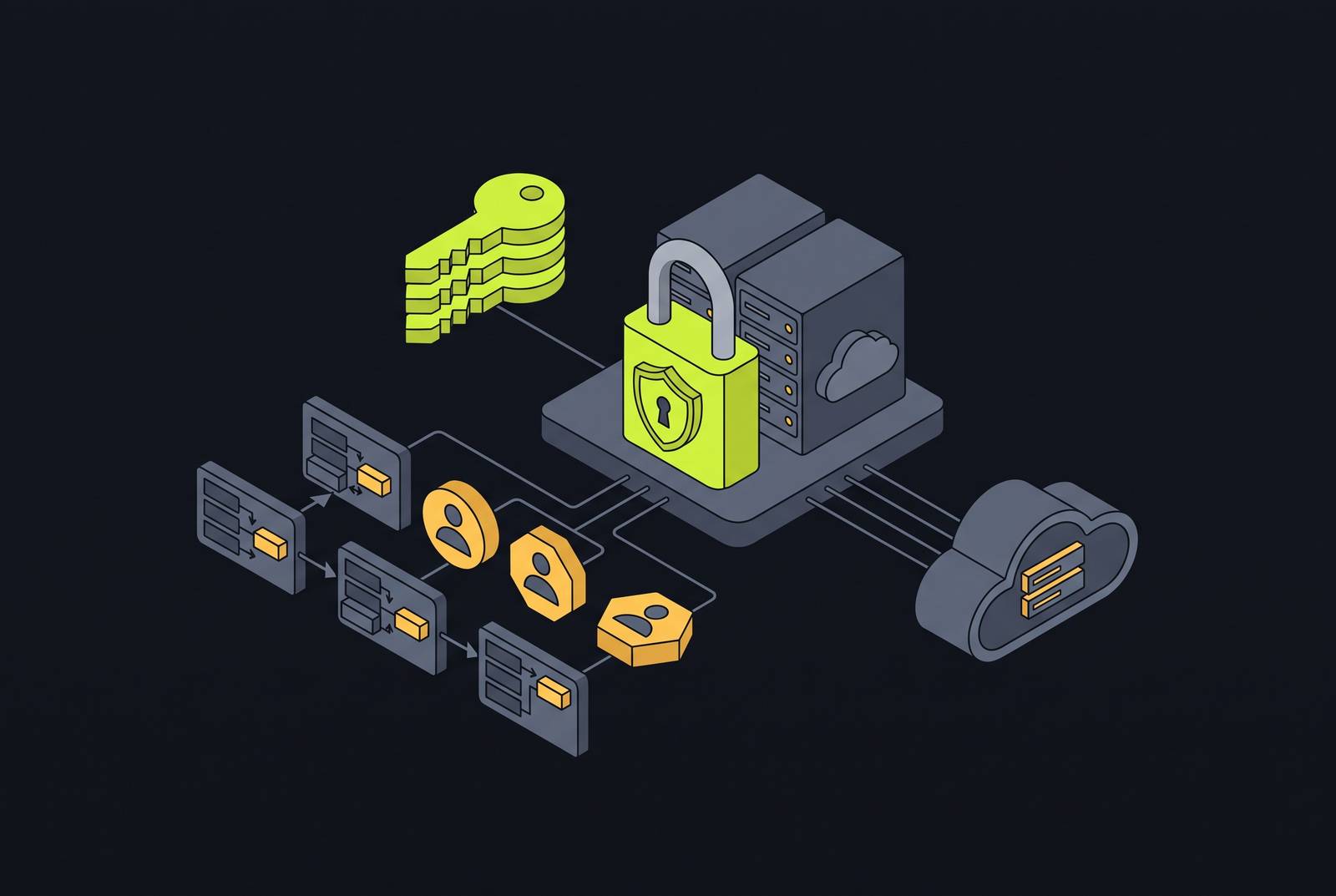
AWS identity and access management hardening for startups prioritizes closing the highest-risk gaps in the right order. Start with MFA, replace permanent credentials with federated access and workload roles, then narrow permissions and make activity visible. The goal is to limit what a compromised identity can do without making every deployment a security project.
Why startups end up over-permissioned and what that actually costs them
Giving a developer AdministratorAccess removes an obstacle to shipping today. For a small team, that is a rational short-term trade-off. But the permission often outlives the task, and each shortcut leaves more access available to misuse. PowerUserAccess removes IAM management and is a better starting point, but tightly scoped, task-specific permissions are the correct baseline.
The December 2025 crypto-mining campaign shows how quickly broad access becomes damage. Attackers used compromised IAM credentials with admin-like privileges, and crypto miners were running across ECS and EC2 within ten minutes of when they first got in. The LexisNexis AWS breach shows the same problem through a different entry point. An unpatched frontend application provided access, but an ECS task role that could read every secret in the account amplified that exploit into full credential exposure.
The breaches show that permissions determine the blast radius after an initial compromise occurs. Most cloud security incidents on AWS infrastructure stem from customer-side identity misuse, misconfigurations, and exposed workloads. Under the shared responsibility model, the customer has to manage those identities and permissions. With permissions spanning hundreds of AWS services, doing that manually at startup speed is the real problem to solve.
Why IAM hardening feels expensive on a small team, and how to reframe the cost
For a two-to-five-person team, tighter access can look like a multi-week project that needs dedicated DevOps expertise. That takes time, especially when someone has to send a request for every permission change. But that is an argument against manual administration. Clear access design and automation turn repeated decisions into defaults that the system can enforce.
ProGlove demonstrates the architectural approach. A three-person team held a complex AWS estate together by putting work into architecture and automation. ProGlove demonstrates that a small team can sustain strong controls when enforcement does not depend on someone remembering each rule.
That changes the cost comparison. The alternative to an initial investment is continuing to repair access by hand as the company grows. Strong defaults mean least privilege, no direct permissions on users, mandatory MFA for people, roles for automation, and continuous access review. These do not need to arrive as one large project. A prioritized sequence makes the work manageable by addressing the most dangerous gaps first.
Step one: MFA on root and every human account
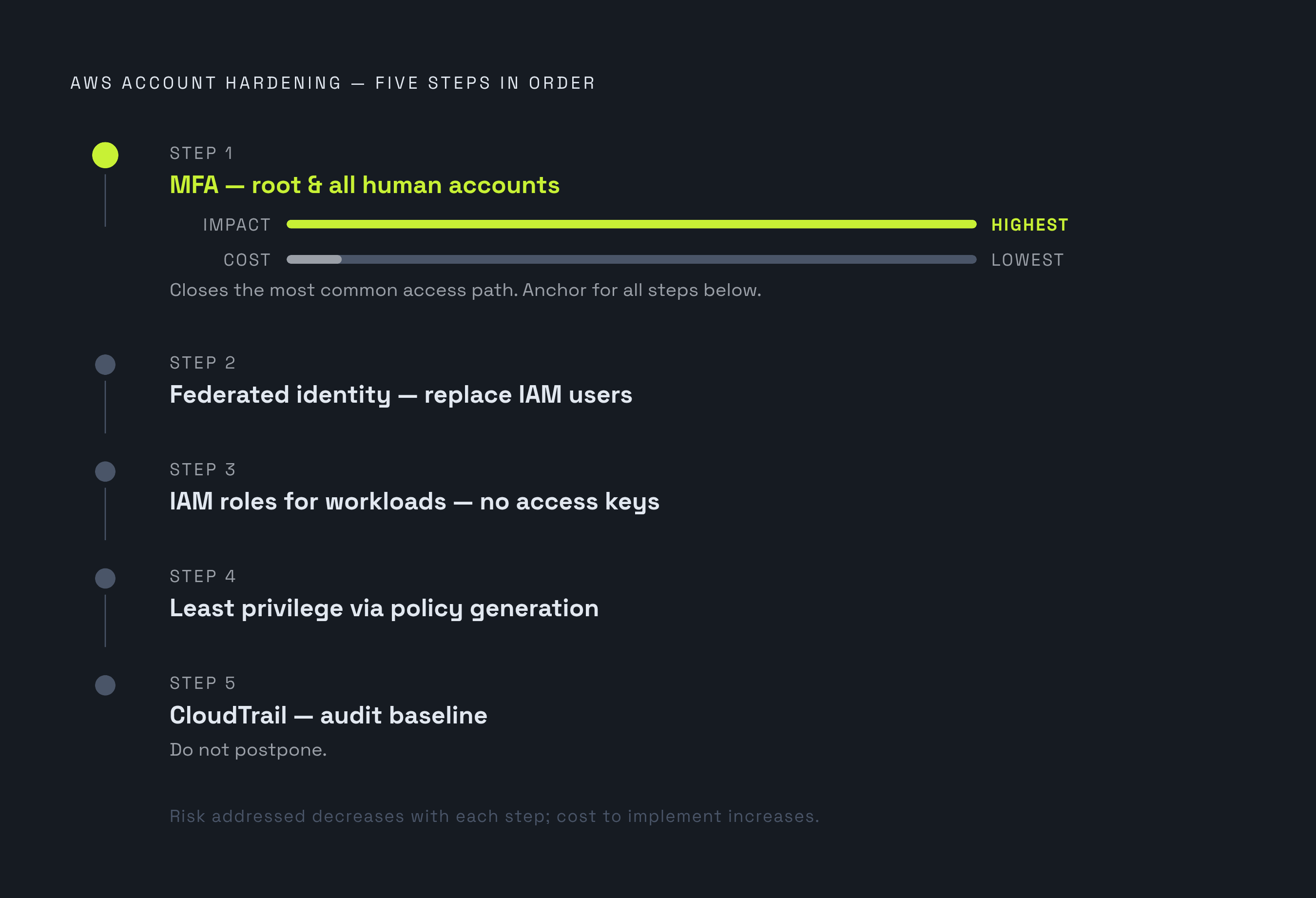
MFA comes first because it closes the most common access path at the lowest implementation cost. Start with root, which has unrestricted access to billing, account settings, and IAM itself and cannot be constrained by IAM policies. Enable MFA immediately, preferably with a phishing-resistant hardware security key such as a YubiKey. Never create root access keys, and keep root credentials in a secrets vault or a place that is physically secure.
Use root only for tasks that require it, and configure a CloudWatch or GuardDuty alert whenever it is used. Require MFA for every IAM user with console access, for highly privileged roles, and for break-glass accounts. Sensitive operations, including disabling CloudTrail and modifying SCP policies, also need MFA enforcement.
The IAM condition matters here. A Deny on all actions with BoolIfExists on aws:MultiFactorAuthPresent set to false catches console and API/CLI requests without MFA. Plain Bool misses long-term access-key requests because that condition key is absent. In multi-account setups, SCPs provide a further layer by blocking sensitive actions by member account root users.
Step two: replace IAM users with federated identity
MFA protects the access people already have, while federation gets rid of the permanent credentials behind much of the risk. Consider a developer who leaves while their IAM user persists for six months because nobody updates the access list. That is an access architecture failure. With federation, the company manages AWS access through the identity system it already uses.
Users authenticate to an identity provider, which asserts their identity to AWS IAM Identity Center. Identity Center then gives users temporary credentials for the account and role they need in place of permanent access keys. Those sessions expire on their own, which cuts the time a stolen credential can be used. Human activity also remains attributable to an identity in the provider.
For a small team, the operational benefit is central control. Offboarding no longer requires hunting through AWS accounts for orphaned users, and MFA policy can live in the identity provider. IAM Identity Center supports automated provisioning through SCIM with major providers, though Google Workspace supports user-only provisioning. It takes roughly three days of engineering work to set this up. That is a bounded investment in removing a recurring source of access mistakes.
Step three: eliminate access keys for workloads, use IAM roles instead
Hardcoded keys pushed to a public GitHub repository remain a common cause of cloud breaches. Moving those keys into environment variables or configuration files is only marginally safer. The structural fix is to give each workload a role that supplies short-lived credentials.
For EC2, use IAM instance profiles so the AWS SDK retrieves credentials automatically from the instance metadata service. ECS tasks need task roles scoped to the task definition, while Lambda functions need execution roles scoped to the function. EKS pods can use IRSA, or IAM Roles for Service Accounts, scoped to the Kubernetes service account. These patterns replace stored credentials, but their safety still depends on the permissions attached to each role.
CI/CD needs a way to deploy often without a permanent AWS secret. Runners such as GitHub Actions, GitLab, and Buildkite can exchange an OIDC token for short-lived AWS credentials through OIDC federation. On-premises or hybrid workloads can use IAM Roles Anywhere with X.509 certificates. Keep access keys only for legacy systems that genuinely cannot be refactored. Track those exceptions, rotate their keys on a defined schedule, and flag them for elimination.
Step four: enforce least privilege through policy generation, not guesswork
IAM Access Analyzer provides a practical starting point for narrowing roles. It analyzes 90 days of CloudTrail logs and generates policies from the API calls a role actually made. It also identifies unused permissions and recommends policies with excess access removed. That turns least privilege from a guessing exercise into an iterative process grounded in usage.
For complex applications, defining every minimum permission upfront is difficult. Start with AWS managed policies where needed, then refine them into customer-managed policies as access patterns become clear. Prefer specific resource ARNs over wildcard resources, and scope iam:PassRole tightly because it is a common privilege escalation path. Keep AdministratorAccess only for dedicated break-glass roles, and leave it out of everyday work.
Discovery alone will not keep those improvements in place. If the next deployment restores broad permissions, a manual cleanup has solved only the current configuration. Put IAM policy checks into CI/CD so least privilege is enforced on every deployment. Permission boundaries add to those checks by limiting what the roles that developers create can do. A boundary that excludes IAM management means a role cannot gain that access even if a developer’s Terraform grants iam:*.
Step five: establish CloudTrail as the audit baseline before compliance asks for it
The sequence needs evidence as well as restrictions. CloudTrail supplies the audit trail for investigations and compliance, but default Event History lacks the retention depth and integrity features needed for that job. Although logging is the final step in this sequence, it belongs in the day-one configuration and supplies the history that policy generation needs. It is not something to postpone until an auditor asks.
Configure multi-region CloudTrail so activity outside the primary deployment region is covered. Enable log file validation to detect tampering or deletion after the fact, and centralize storage in a dedicated S3 bucket. Replace default SSE-S3 log encryption with customer-managed KMS keys. That lets the team control access to keys separately, keep an audit trail of how the keys are used, and revoke permissions without changing bucket policies. Use CloudWatch Alarms for high-priority events, including root logins, IAM policy changes, security group modifications, and failed authentication spikes.
CloudTrail records activity but does not block it. BitLyft’s SOC case makes that distinction clear. A compromised-credential attack across multiple regions was contained in minutes because least-privilege controls refused the requests. GuardDuty findings and correlated SIEM coverage across all regions supplied the detection and forensic confirmation. Restrictive permissions contained the attack, while visibility showed that the containment worked.
Organizational guardrails that hold the sequence in place as the team grows
Controls can break down when new engineers and new accounts bring in new defaults. Service Control Policies make the key restrictions rules for the whole organization, so each account has to follow them. SCPs apply to identities in member accounts, including root users, and an IAM policy, role, or resource-based policy cannot override an SCP deny. That is how the sequence survives growth without manual review of every change.
Core guardrails should deny disabling CloudTrail, opting out of GuardDuty, and creating IAM users. They should also block the creation of resources outside the allowed regions where data-residency requirements apply. Account separation adds another boundary around damage. At minimum, separate production, staging, dev, security-tooling, logging, and shared-services, with further boundaries per product line or customer where isolation requires them.
ProGlove’s three-person team manages 6,000 tenant accounts. When rules are enforced across the organization, the team can avoid checking each account by hand for the same compliance controls. However, guardrails do not justify standing production administrator access. Use an approval workflow for just-in-time admin access through AWS IAM Identity Center permission sets.
IAM risk specific to AI workloads and why inference roles need tighter scoping
Managed AI services do not remove the need to inspect workload permissions. Zenity Labs researchers found that the Firecracker MicroVM used by AWS AgentCore lacked sufficient network isolation, allowing an SSRF attack to retrieve temporary credentials for the workload’s IAM role. The credentials were temporary, but the role covered all AgentCore resources in the region. With that scope, an attacker could launch other agents, read sessions, write agent memories, and fetch secrets from AWS Secrets Manager.
AWS addressed the IMDSv2 gap in February 2026. The excessive permissions remained at least until June 22, 2026, and were observed remediated only as of September 29, 2026. The roughly seven-and-a-half-month window separates two controls that are easy to confuse. Fixing network isolation did not automatically fix the role’s permissions.
For an AI startup, the practical rule is specific. Scope inference endpoint, agent runtime, and training job roles to the resources each workload needs. These roles need least-privilege rules enforced just as ECS task roles and Lambda execution roles do. AWS management of the service is not a substitute for judgment about the access attached to it.
How the right infrastructure platform handles the undifferentiated parts of this sequence
An infrastructure platform is useful when it automates repeated work without hiding access decisions. Deploying into the startup’s own AWS account gives the team meaningful control over IAM scope and audit trails. A shared-tenant environment with opaque defaults makes those boundaries harder to own. The platform should support the access architecture and keep it open to examination.
A small team can directly own MFA enforcement, federation, CloudTrail configuration, and SCP guardrails. Those are architectural decisions with a manageable initial investment. A platform can help more with cluster management, CVE patching, CI/CD policy checks, and compliance automation. Patching reduces exposure from vulnerable runtimes, while pipeline checks keep deployments from restoring permissions that the team already removed. SOC 2 and HIPAA compliance postures can include IAM controls in that baseline.
For AI teams, native support for IRSA and task-role scoping makes the same sequence practical for GPU workloads and inference endpoints without a dedicated DevOps hire. The team decides who and what can access each resource, and automation keeps those decisions in place through routine changes. ProGlove and BitLyft point to that same conclusion. Durable IAM hardening comes from architecture that enforces limits.